
Embed Checkout allows you to integrate the entire checkout experience directly within your sales page, without redirecting the user to a separate page. This creates a more streamlined buying experience, as customers can complete their purchase without leaving the page.
⚠️ Important Requirement Before Using This FeatureWe recommend sharing your funnel details (including front-end and OTO pages) for our team to review to ensure the code has been properly implemented .
Setup Embed Checkout:
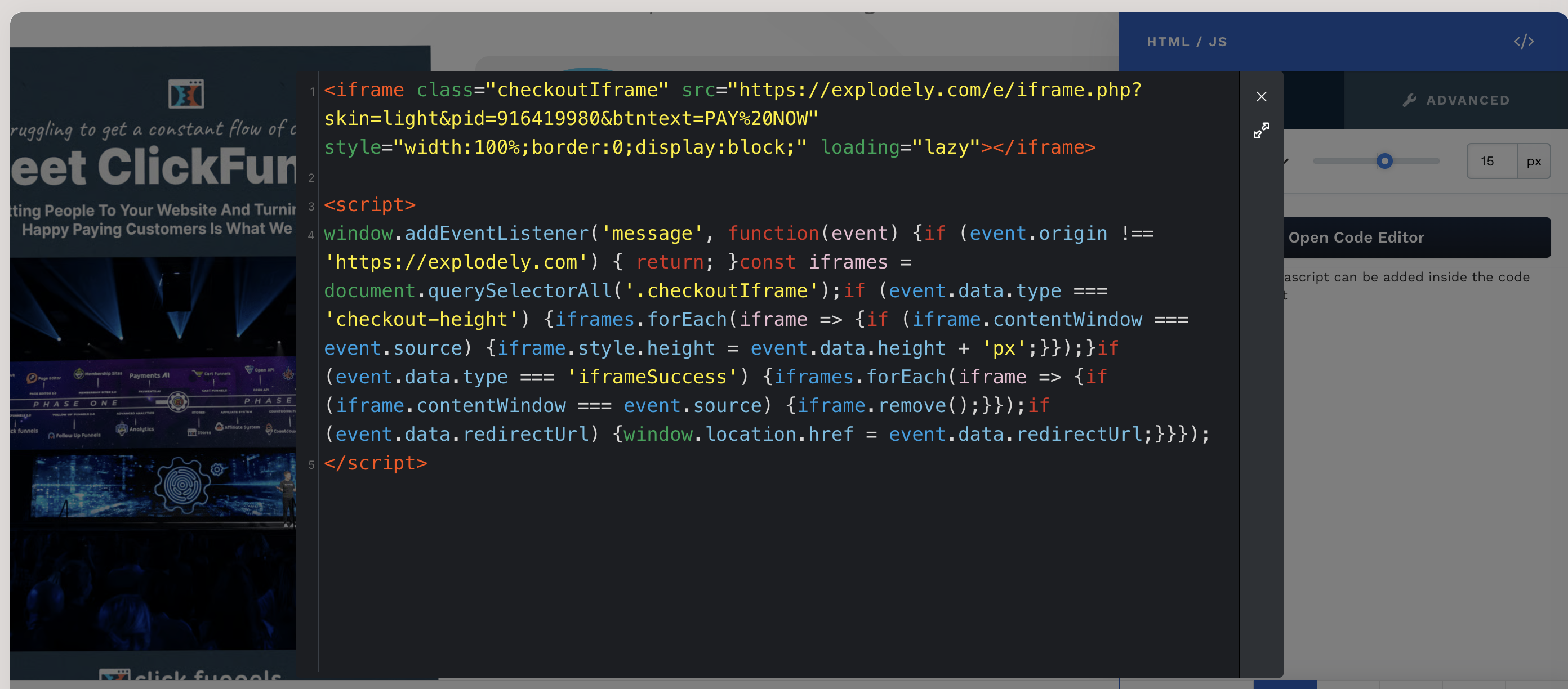
i) Copy the embed code (HTML / JavaScript) and paste it into your embed code.
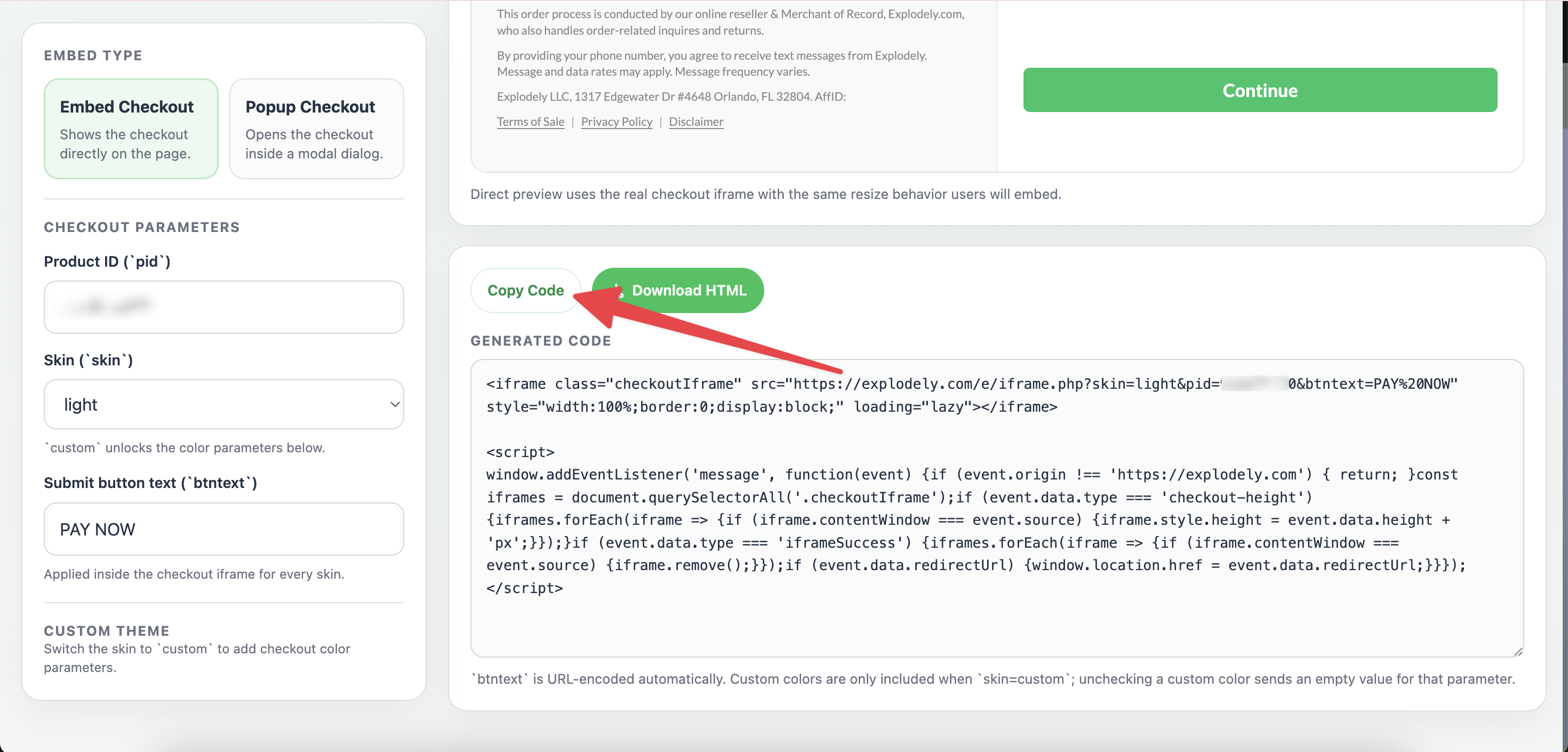
ii) The checkout will be displayed directly on the page itself.
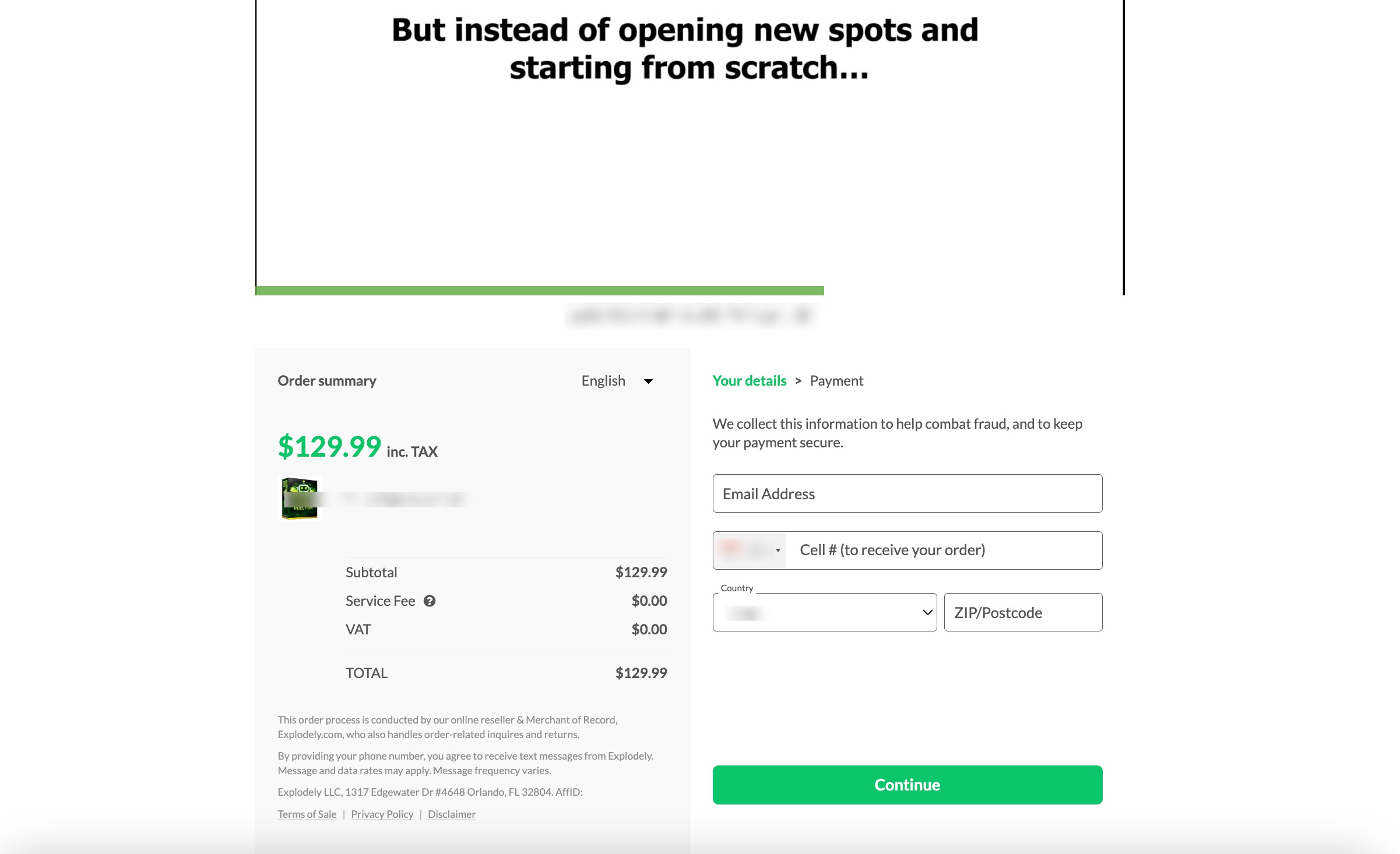
Where to Add the Code (Popular Page Builders):
Once you’ve copied the embed code from Explodely, you need to paste it into your page. The exact steps may vary depending on the page builder you are using, but below are examples for some commonly used platforms:
Systeme.io:
i) Open your funnel inside systeme.io and go to the page where you want to add the checkout.
ii) Click on Edit Page.
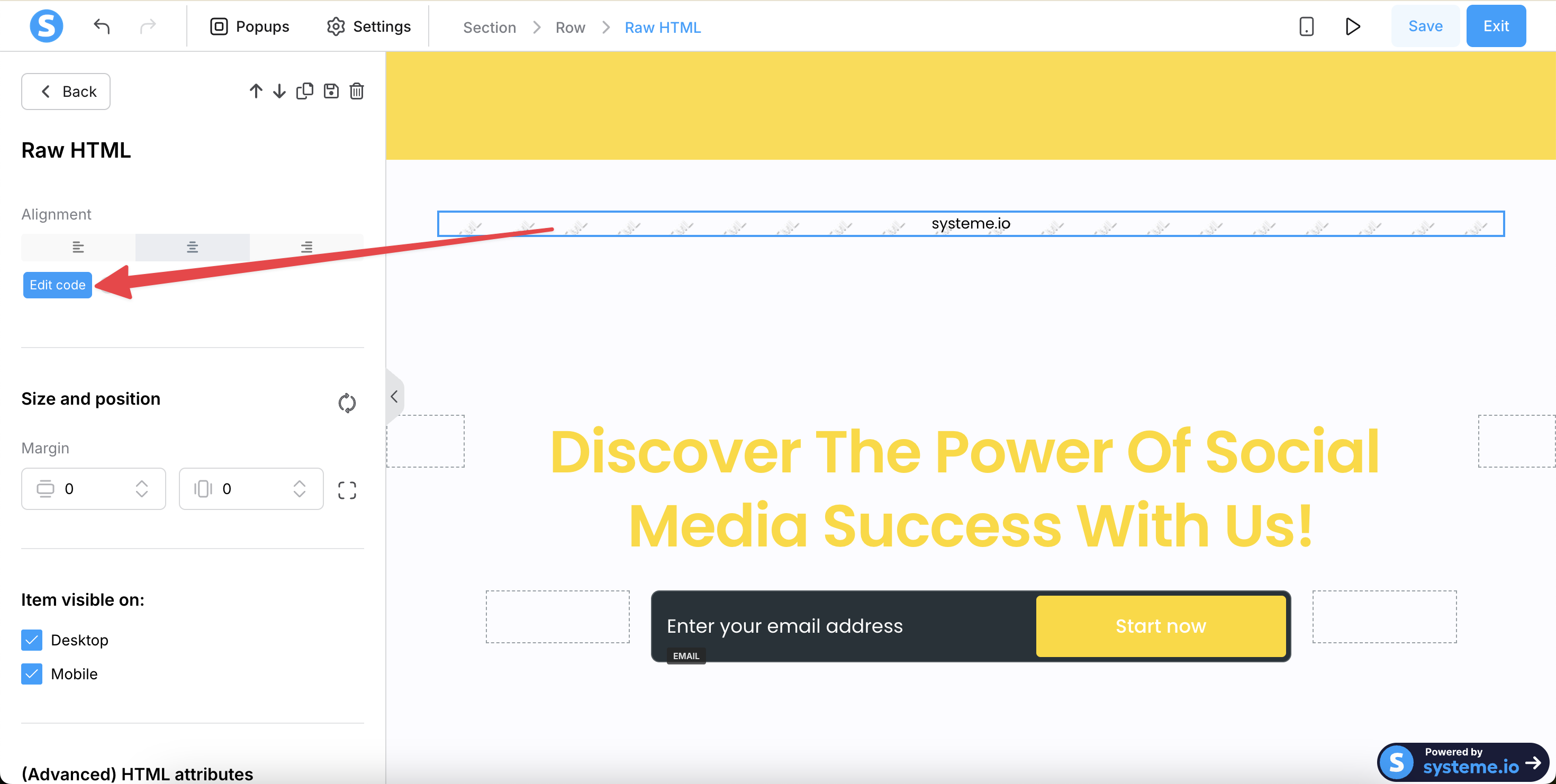
iii) Add a Raw HTML block from Elements to your page and click on Edit Code.
iv) Paste the copied code into the HTML block.
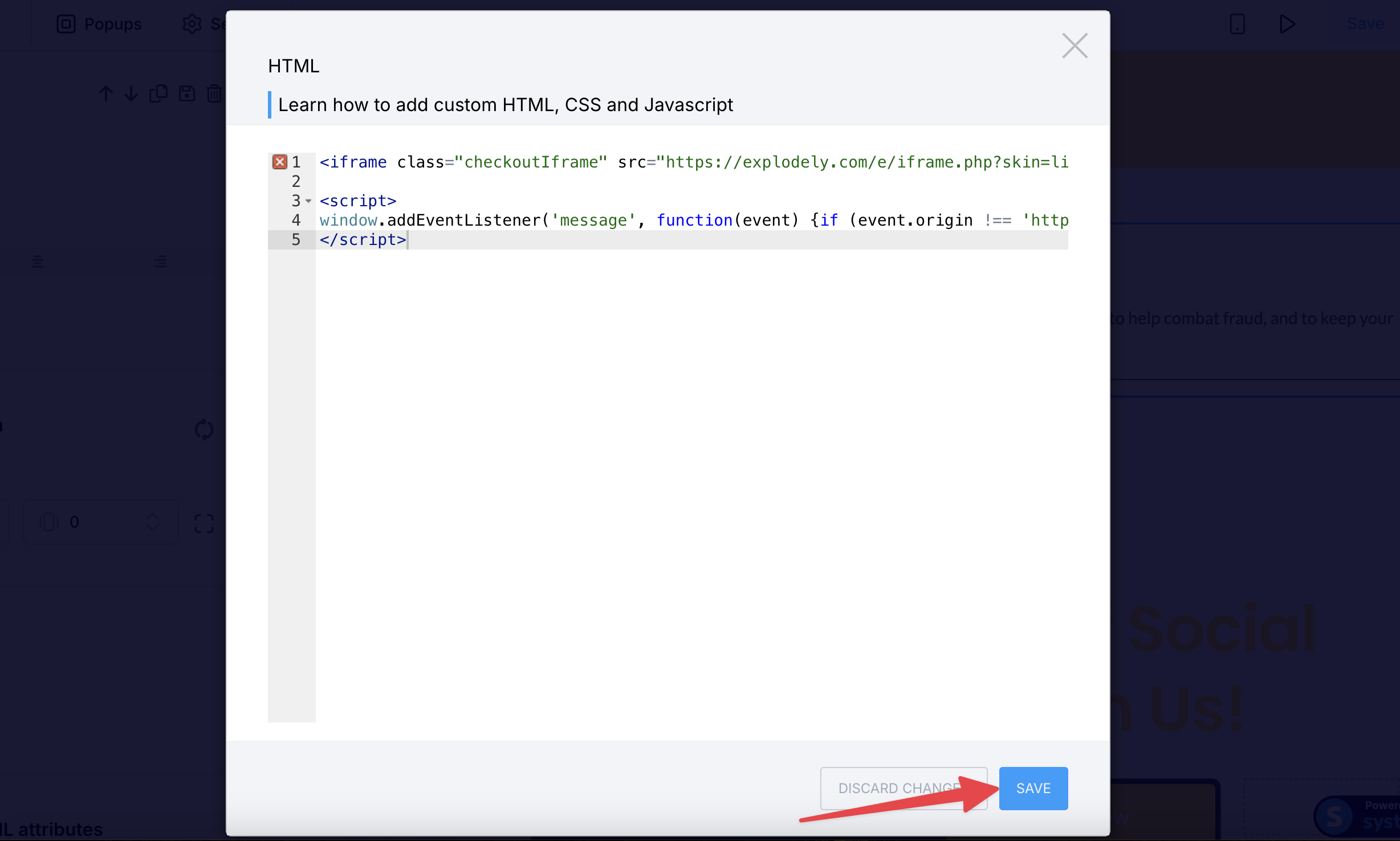
v) Save and publish the page.
ClickFunnels:
i) Open your funnel and select the page you want to edit, then click on Edit Page.
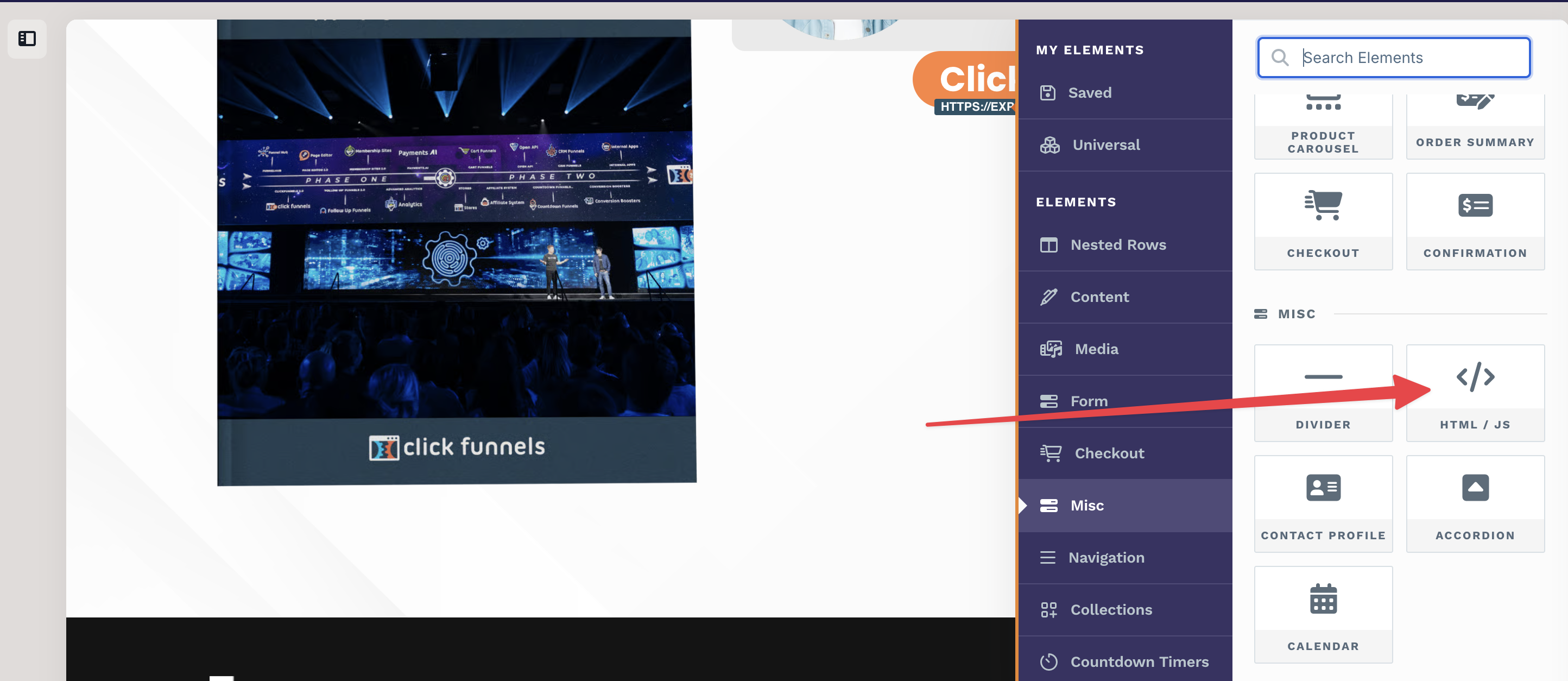
ii) Add a Custom HTML/JS element to the page.
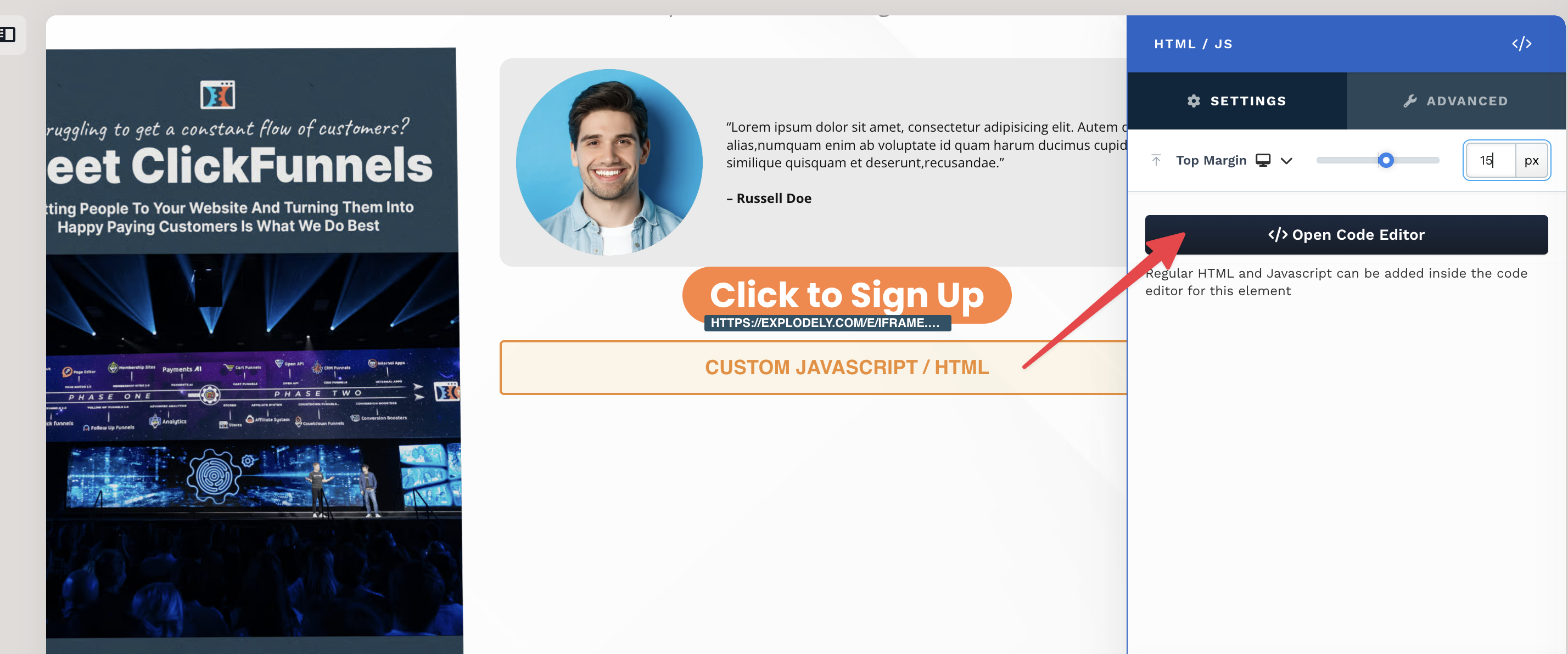
iii) Now click on Open Code Editor.
iv) And paste the copied code into the element.
v) It auto saves changes so close the code editor and Save the entire page.
Important Points:
i) It is best suited for front-end and standalone offers.
ii) It can be used on OTO pages if you are okay with buyers entering their details again to complete the purchase. However, 1-Click Upsells (1CU) are not supported. For 1CU functionality, you will need to use Pop-up Checkout. Please refer to our article to learn more: Custom Checkout for OTOs (One-Click Upsells)
iii) It is not suited for multiple price points or payment plan options on the same page, especially when using multiple buy buttons for different offers.
Please contact us if you have any questions or concerns at sellers@explodely.com.